
GD-101 : Adobe Phtoshop CC for Graphics Designers
- 18ساعه تدريب
- 6محاضره
- 300جنيه مصري
- 10طالب بحد اقصى

التدريب باستخدام منهج ®Adobe المعتمد يتم التدريب باستخدام منهج ادوبي المعتمد, ويمكنك بعد انهاء هذه الدوره التقديم لاجتياز اختبارات ادوبي والحصول على الشهادات الدوليه






محتوى البرنامج التدريبي
برنامج أدوبى فوتوشوب Adobe Photoshop CC. وهو البرنامج الأضخم والأكثر والأشهر في مجال تصميم الجرافيكس والاعلانات المطبوعة أو على الويب ويعد البرنامج الأول في هذا المجال ولا توجد شركة إعلان أو محطة تلفاز لا تملك البرنامج, وهو البرنامج الاقوي فى معالجة الصور ودمجها وتصحيح الألوان سوف ابدأ مع الأساسيات ثم ننطلق الى الموضوعات المتقدمه.
- Essential tasks
- Starting in Camera Raw instead of Photoshop
- Using Undo and the History panel
- Removing a person from the background with masking
- Changing the color of an object
- Swapping heads in a family portrait
- Understanding resolution
- Removing blemishes with the Spot Healing Brush and the Patch tool
- Sharpening and perfecting your photos with Smart Sharpen
- Photoshop workspace
- The Photoshop workspace
- Organizing Photoshop panels
- Changing the Photoshop view
- Working with tabbed documents
- Working with the Zoom tool
- Preferences overview
- Rulers, grids and guides in Photoshop CC
- Screen modes
- An overview of Camera Raw
- Layers
- Layers panel explained
- Aligning images within multiple layers
- Reducing chaos with layer groups
- Backgrounds and layers
- Merging layer techniques
- The basics of blend modes
- Understanding layer styles
- Generating a flexible drop shadow
- Create cool effects with layer groups in Photoshop
- Exploring layer basics
- Image adjustments
- Reading a histogram and using the Info panel
- Increasing midtone contrast with Curves
- Shifting colors with Hue/Saturation
- Controlling which layers are affected by an adjustment layer
- Lightening and darkening image areas with Dodge and Burn
- Converting color to black and white
- Creating traditional darkroom toning effects
- Selecting parts of an image
- Basic selection techniques
- Essential selections
- The Magic Wand and Quick Selection tools
- Building and editing a mask
- Selecting soft edge objects with Refine Edge
- Working with Refine Edge
- Cropping and transforming
- Image resizing in Photoshop
- Cropping and straightening an image
- Cropping to ratios, fixed sizes and resolution
- Understanding canvas size
- Crop to add canvas
- The relationship between pixels and image sizing
- Making non-destructive transformations with Smart Objects
- Resizing an image to a smaller size
- Retouching
- Using Content-Aware Fill to remove distractions
- Removing dust and scratches
- Fixing rips and creases
- Painting, drawing, and type
- Vector shape tools
- Draw and align shapes
- Cropping and merging shapes
- Combine shapes
- Working with vector-based shape layers
- Brushes
- Creating a paragraph style
- Design improvements in Photoshop CC
- Type rendering in Photoshop CC
- Filters
- Smart filters and the filter gallery
- Controlling a filter's opacity
- Sharpening an image with Unsharp Mask
- Using the new three-part Blur Gallery
- Creating a soft glow with the Gaussian Blur filter
- Creative uses for Liquify
- Using the Camera Shake Reduction filter
- Sharpening in Photoshop CC
- Printing and sharing photos
- Exploring the print dialog
- Printing smaller size proofs
- Creating contact sheets
- Saving images for the web in Photoshop CC
تعرف على المدربين بهذه الدوره
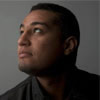
مصصم جرافيك ومستشار إعلامي
وائل شعبان حافظ هو احد امهر المصممين العرب وقد حصل على العديد من الجوائز المحليه والعالميه. وهو صاحب خبره طويله تزيد عن عشر سنوات في مجال التصميم الجرافيكي والتصوير التجاري, يقوم وائل بالعمل باحترافيه على جميع برامج شركة Adobe العالميه وقد عمل لكبرى الشركات العربيه والاوروبيه. بالاضافه الى عمله كمستشار اعلامي لعدد من الشركات الاجنبيه, وهو صاحب عدد كبير من التصميمات الاصيلة
لديك رسالة للمدرب؟ ارسلها من هنا.لديك رسالة للمدرب؟ ارسلها من هنا.
مزايا اضافيه مع هذه الدوره
-

امكانية الحضور اكثر من مره مجانا -
كافيتريا مشروبات -

بيئة دراسيه مريحه -

دعم مستمر
احجز مقعدك بهذه الدوره
ادخل بياناتك الآن وسوف يتم الاتصال بك هاتفيا لتنسيق موعد الدوره وابلاغك بتفاصيل الحجز.
لديك استفسار ؟
يسعدنا كثيرا مساعدتك في استيعاب افضل للأمور, فلا تترد مطلقا في الاتصال بنا في حال كانت لديك اية اسئله او استفسارات.