
PL-911 : Building Web Pages with HTML4 and CSS, and Search Engine Optimisation
- 36Training hours
- 12Lectures
- 7Assistant hours
- 10Students maximum
This training program is no longer taught and is not available from us now. You can instead follow the newer edition of this program at the link below
Building Web Pages with HTML5 & CSS3
Learn to design websites like a professional
Learn from the professionals how to build your website to the highest possible standard. As well as showing you how the professionals build websites, this course is full of the ideas and insider techniques used to build professional web pages and take complete control of them through code
And that is not all!
The course covers everything you need to put your site online and make it work well with search engines

Work like a professional
Learning to build websites in code rather than with basic WYSIWYG tools is the right route to professional websites that are efficient, fast and completely under your control
We will teach you to write code fluently, and it will not be long before you are in command of whatever you want to build. There is no need to be daunted: code is not
as hard as you imagine, and from our own experience a handful of lectures with us is enough for it to stop being a problem at all

Getting ready for the job market This course covers a great deal beyond the code: how the internet works, how to publish your site, the types of web server and how to choose the right one, security and protection, and much more besides, along with the knowledge and experience you need to enter this job market, what to prepare before you go to an interview, and the options for working freelance from home

The ability to build anything This course is built to leave you able to implement any design you want, however difficult it looks. It includes more than three practical projects building professional web designs, and we will not let you finish the course until you have delivered a project of your own to the highest professional standard

Learn the professionals' tricks Pick up the experience of the professionals. This syllabus also teaches you the tricks the professionals use with HTML and CSS to pull off some very advanced work, and they will certainly help you get past any obstacle you run into later on in your own projects

Compatible and search engine friendly Not just elegant, fast websites, but sites that work in every browser and are friendly to search engines too. Alongside our main subject we will teach you from the very start how to build your site so that search engines take to it and it appears quickly and easily once it is published

Free work placement and accredited experience certificates When you finish this course you can sit a special exam, and on passing it you receive an experience certificate stating that you worked as a web designer at a software company for 6 months. We can also arrange a free work placement at a working software company once you complete the course
Take a look at examples of the site designs we will build together during the course
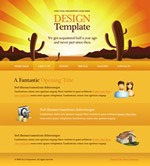





Take your chance now to become a professional web designer
Take this course at the price shown above, or join one of the related training tracks and enjoy the offers below
 The complete track for designing and programming websites with PHP and MySQL
 The complete track for designing and programming websites with .NET technology
Training program contents
1 - XML and data description structures.
Relevance to the main subject: a closely related introduction. Depth of coverage: medium.
Main objectives:
To introduce the trainee to the fundamentals of programming logic by having them use XML to build structures that describe different kinds of data, and to explain what a markup language is along with its syntax rules, in an environment that is clearer and less demanding than HTML.
This topic covers the following:
- A simple introduction to programming languages and their different types.
- A detailed introduction to XML, its syntax rules, its own terminology and its many uses.
- A range of examples showing different ways of describing data with XML structures.
- Individual exercises using XML structures to describe real-world data.
By the end of this section the trainee should be able to:
- Fully grasp the concept of a markup language and what it means, with a sufficient understanding of the types of programming language and the differences between them.
- Think in a way that fits programming logic to a reasonable degree.
- Know the syntax rules of XML thoroughly.
2 - X-HTML and building the structure of web pages.
(Main subject) Depth of coverage: deep.
Main objectives:
To bring the trainee to the fullest possible understanding of every core tag in
X-HTML 4.0 and how it is used to build the structure of web pages.
This topic covers the following:
- An introduction to HTML and X-HTML, the syntax rules and the w3c standards.
- A full account of every core tag in X-HTML 4, how it is used and worked with, and how the tags relate to one another.
- Practical exercises and examples combining tags to build simple web page structures, with basic styling, images and navigation between pages, and so on.
- An introduction to using tables to lay out page content and build more complex structures.
- Working with forms, frames and some of the more advanced tags.
By the end of this section the trainee should be able to:
- Fully understand the individual HTML tags, what each one is for and how it is used.
- Build complex structures in HTML.
- Have a first working knowledge of laying out a page with tables.
3 - CSS 1,2 for styling pages.
(Main subject) Depth of coverage: deep.
Main objectives:
For the trainee to understand how CSS is used to style a page completely, and to be able to lay out page content and position elements using modern CSS techniques rather than tables.
This topic covers the following:
- An introduction to CSS styles, what they are for, the syntax and the selectors.
- A detailed, hands-on account of most of the properties used in CSS and their effect on elements.
- The core ideas behind combining different properties, how they interact and how to use that to apply more advanced custom styling.
- The various ways of laying out pages and positioning elements with CSS.
- An introduction to the concept of "inheritance" in programming languages and how it applies in CSS.
- Practical exercises implementing advanced styling and CSS tricks.
By the end of this section the trainee should be able to:
- Fully grasp CSS syntax and use selectors efficiently.
- Apply complex styles to elements with CSS.
- Style and position elements on the page using CSS techniques instead of tables.
- Write concise, efficient code and apply the principles of inheritance through CSS styles.
4 - Workshop: building a simple website / CSS tricks.
Workshop content:
The workshop covers implementing a design for a simple multi-page website - 5 pages at most - using HTML to build the page structure and CSS to apply the styling and lay out the elements.
Each trainee works individually on the same overall design used by the group as a whole, with room for a few small changes of their own.
* No designs prepared in Photoshop or any similar program are used at this stage; instead a design is sketched on paper and implemented directly in code.
Main objectives:
To apply the concepts already studied in a practical setting, and to get hands-on experience of more advanced CSS methods and techniques.
* The aim is not to produce a perfect website or a polished design; it is simply to put the code and methods already studied to work in a complete practical setting and see how they interact with one another.
5 - The "artistic" standards of web design and the WEB 2.0 concept
Relevance to the main subject: highly relevant. Depth of coverage: introductory.
Main objectives:
To familiarise the trainee with modern standards in web design, and to develop an acceptable level of artistic sense and creativity.
This topic covers the following:
- Using colour and typography, ways of arranging elements on the page, and the geometric principles of design.
- A historical look at how designs have evolved, the WEB 2.0 concept and modern design standards.
- The different kinds of website from an artistic point of view.
- Reviews and informed discussion of inventive, inspiring designs.
By the end of this section the trainee should be able to:
- Know the established rules of sound design, both geometric and artistic.
- Draw some inspiration from following inventive work.
6 - Workshop: adapting ready-made templates and building more complex pages.
Workshop content:
The workshop is divided into two main stages:
First: the trainer takes one of the professional templates already designed as a PSD file and uses it to create a site for one of the suggested lines of business, converting it into a complete, fully styled web page and making every change needed to suit the proposed subject of the site, with a detailed explanation as the work goes on, while the trainees follow along and listen.
Second: once the trainees have followed the trainer's work, a range of inventive ready-made templates is presented, differing slightly among themselves in difficulty and complexity and serving several different lines of business. Each trainee proposes a field they are interested in, picks one of the templates, and converts it into a complete website the same way.
Main objectives:
To meet one of the central goals of the course: producing a designer who can turn any mock-up into a website using HTML and CSS.
7 - Improving website performance
Relevance to the main subject: highly relevant. Depth of coverage: medium.
Main objectives:
To equip the trainee to build websites that perform better in terms of speed and complexity, work across different operating environments, and sit well with search engines.
This topic covers the following:
- Writing more effective, less convoluted code.
- Reducing the size of the page and the assets attached to it.
- Compatibility and differences between browsers and across operating environments, and testing the page.
- Error pages, Meta tags and other parts of the site.
- An introduction to SEO and the practices to follow while designing.
- Older and newer techniques for search engines (robots.txt, sitemap, micro formats,..)
- Common misconceptions in web design.
By the end of this section the trainee should be able to:
- Write better code: more effective, less convoluted, and lighter pages.
- Build pages that are compatible and stable across different operating environments.
- Communicate well enough with search engines and design pages that work better with them
Who should attend
Anyone interested in moving into web design
Job title
After this course you can work as a professional web designer.
Meet the trainers on this course

Trainer and web developer
Hamada works as a professional web developer across a range of platforms, PHP and MS ASP.NET among them. He is a Microsoft Certified Solutions Developer for web applications, earned after taking his BSc in computer science. Hamada has long hands-on experience building web applications for the commercial market, alongside delivering a great many training courses in the field.
A message for the trainer? Send it from here.
Head of the academy and PHP application developer
Mostafa began his career five years ago designing and building websites in languages such as HTML, CSS and PHP, before moving into training. He preferred to pursue that ambition independently and founded 7Dash Training Academy in early 2010, and he has taught web programming languages at 7Dash ever since. He later founded a second company specialising in website design and development, named "Dominato", bringing together commercial experience and training skills.
A message for the trainer? Send it from here.
Managing director and database developer
Waleed started studying computer science and programming at around the age of 11 with the old Q-Basic language, and has worked with a wide range of technologies across programming, databases and computer systems in general ever since. He is now managing director of the software house Code-Times, Ltd., specialising in systems analysis, MS SQL Server database development and building large-scale applications on MS .NET technology for both web and Windows. He currently runs the training departments at 7Dash and designs and delivers many specialised computer science programs around his own idea of training: content that stays close to the day-to-day reality of working software companies, rather than an academic syllabus with no regard for how the material is actually applied.
A message for the trainer? Send it from here.A message for the trainer? Send it from here.
What else comes with this course
-

Retake the course free of charge -
Drinks cafeteria -

A comfortable place to study -

Ongoing support -

Private assistance hours
Have a question ?
We are glad to help you get a better grasp of things, so do not hesitate to contact us if you have any questions at all.